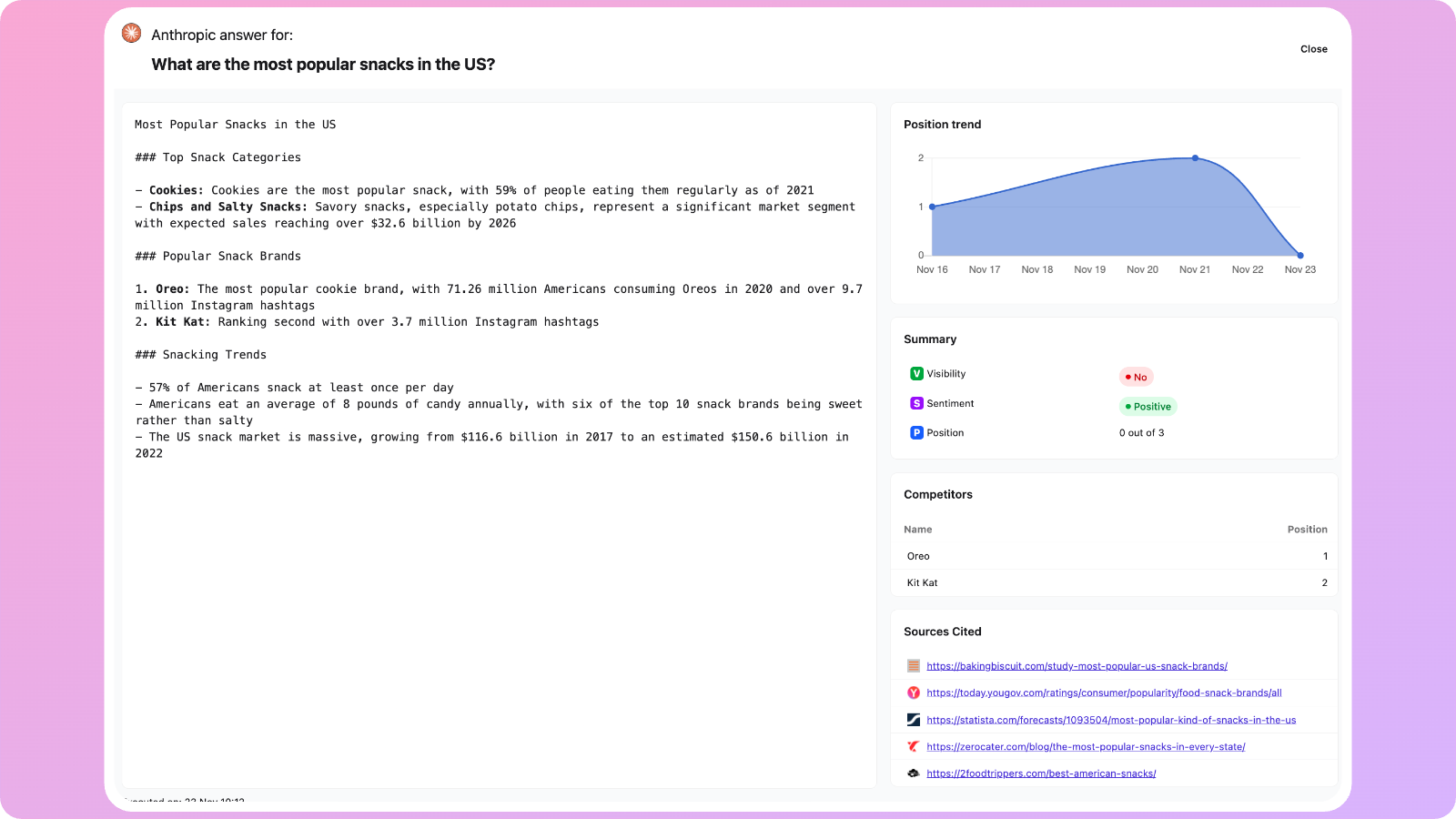
What is a Prompt?
A Prompt is the input you give to a Large Language Model (LLM) such as ChatGPT to generate a response. It can be a question, command, instruction, or piece of text that guides the model on what to produce. Prompts shape what an LLM talks about. If a brand isn’t included or relevant to the prompt, the model may not mention it—reducing visibility. When prompts describe a category, problem, or buying scenario, they reveal whether the brand is known, recommended, or ignored by the AI. Cartesiano.ai allows you to track your Prompts across these 3 important dimensions:- Visibility: if an LLM mentions your brand in category-level prompts (e.g., “Best CRM tools”), it signals stronger brand awareness.
- Position in responses counts: Being listed first or early increases perceived authority.
- Sentiment is influenced: The model’s tone and wording can shape how users perceive your brand.
Adding a Prompt
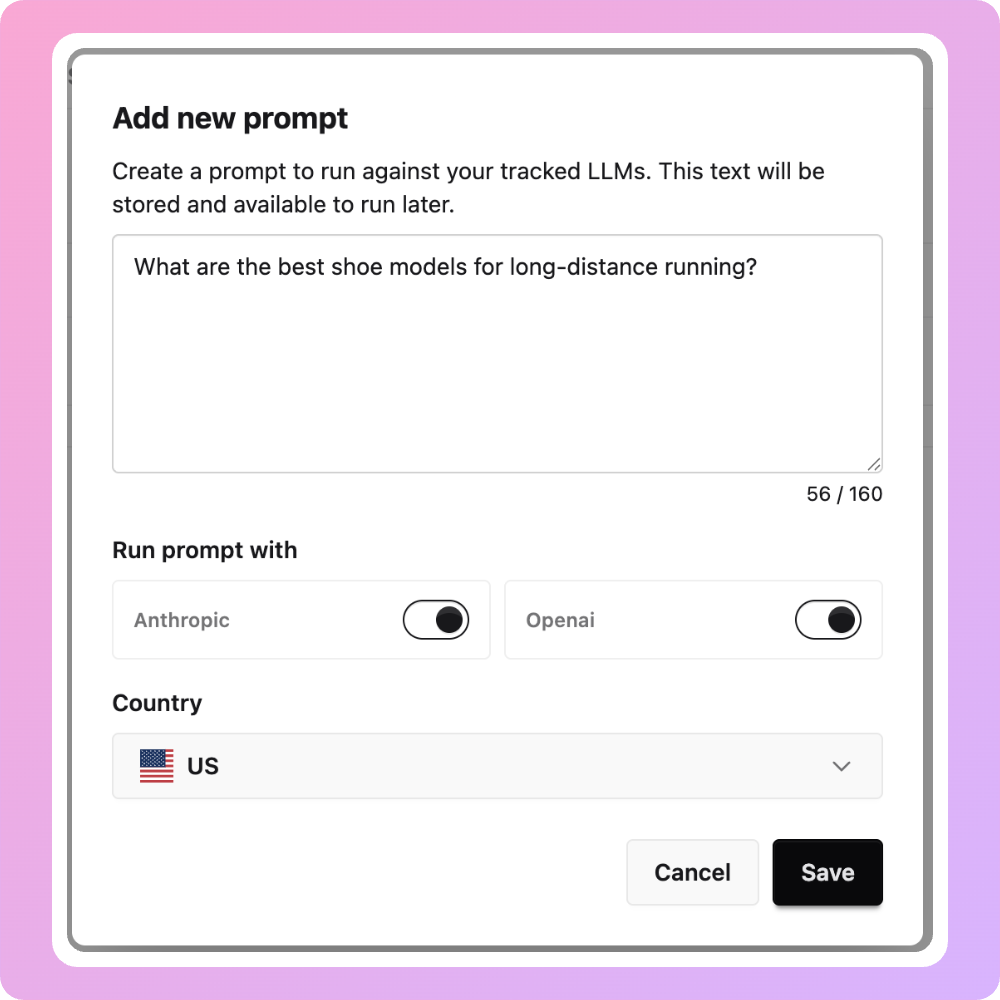
- Go to Prompts
- Click Add a Prompt.
- Enter Your Prompt Text (e.g., “Best email marketing platforms for SMBs”)
- Select the LLM Model (e.g., ChatGPT, Claude, Gemini)
- Pick the country or region the prompt should simulate.
- Click Add Prompt
Analysing and Understanding your Prompt Results
Once your prompt has been created and executed, the Prompt screen gives you a clear overview of how your brand performs across different LLMs. Here’s what each section means and how to use it.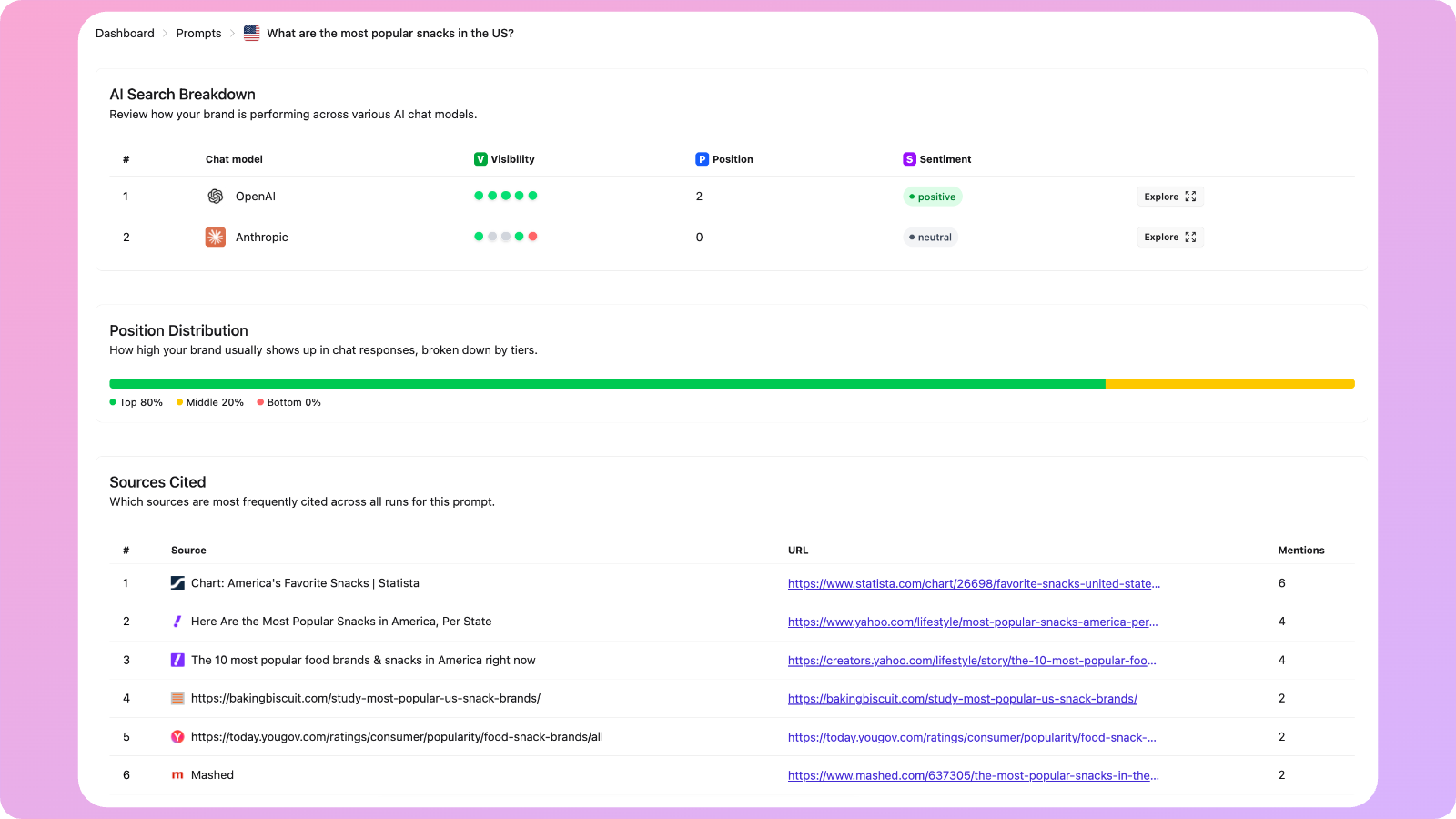
Position Distribution
This bar shows in which percentile your brand usually appears in when mentioned alongside competitors:- 🟢 Top: Strong visibility and ranking (top 30% percentile)
- 🟡 Middle: Moderate positioning (30-70% percentile)
- 🔴 Bottom: Rarely or never mentioned (70% and higher percentile)
Sources Cited
This table lists the websites or publications most frequently referenced by the LLMs when generating answers. You’ll see:- Source name
- URL
- Number of mentions
Drilling deeper into a Prompt
You can click Explore next to any LLM to drill down into the full and raw response of the LLM, identify trends, competitors, and sources cited specific to this particular Prompt.